
Release notes November 2025
Engine Update, View historic data, Risk calculations, and AI Import updates
Engine update
On 12 December 2025, we're updating emission factors across the platform to reflect the latest datasets from GOV.UK, IEA, AIB, CO₂-emissiefactoren, and Exiobase.
The updates mainly affect reporting year 2025, with just a few specific factors changing for pre-2025 periods. For 2025, you'll see the latest factor values across all databases, keyword updates for CO₂-emissiefactoren, GOV.UK, and AIB, plus inflation corrections for Exiobase.
We've also updated how we define application periods for electricity emission factors. They now align with the year of publication. This means no more large retrospective corrections like we've had in previous years.
Early next week, all admins will get access to a preview environment where you can check how these changes alter your inventories before the final release on 12 December. A snapshot of your inventory before the update will be automatically saved in the Inventory snapshots feature (see below), so you can easily compare before and after.
View historic data on Dashboard
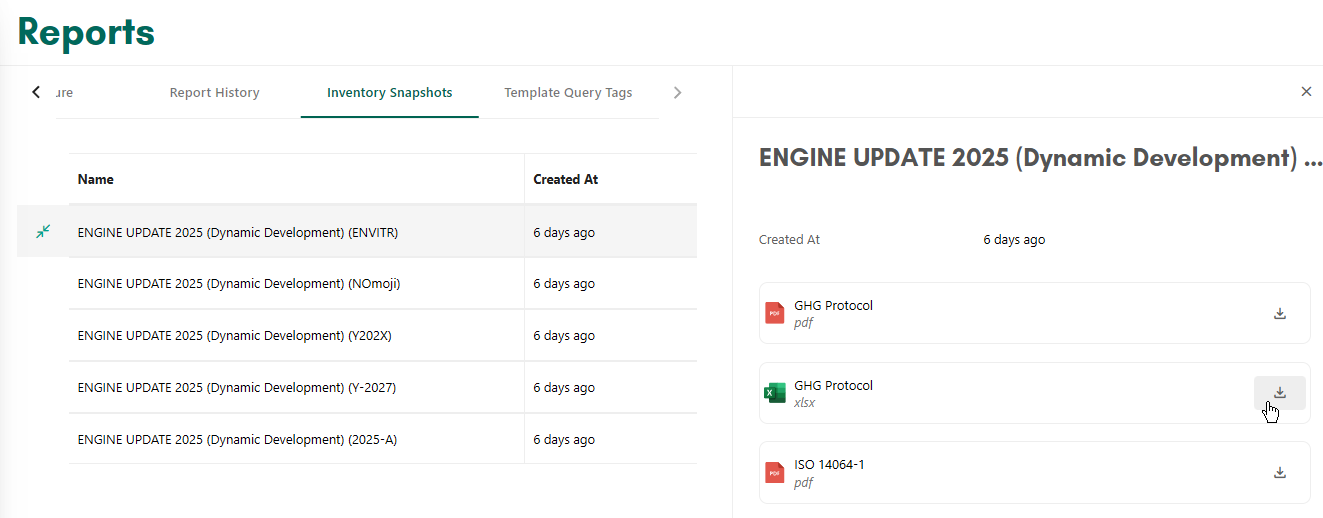
After the Engine update, you may want to review how your calculated emissions have changed. To support this, we have introduced Inventory snapshots. From now on, when there is an update that affects emission factors or calculation methods, the system will create an Inventory snapshot of your data before the change is applied.
Snapshots are available in the Reports view, where you can also access reports generated at the time the snapshot was taken.
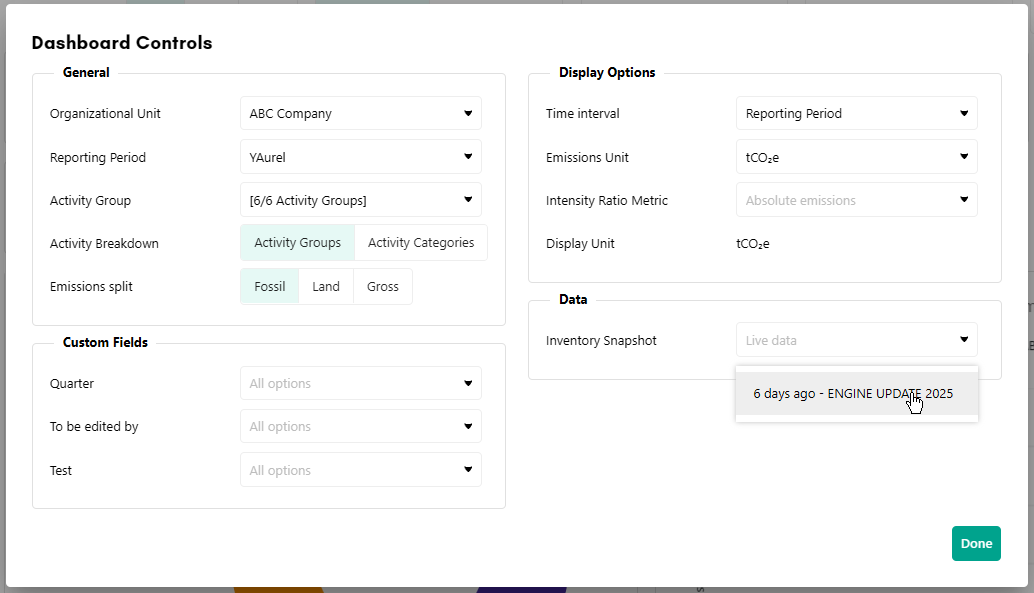
In the Dashboard, you can choose which snapshot to view by opening the More menu and selecting the relevant snapshot (viewing snapshots is also available in the Compare view). To return to live data, clear the snapshot selection.
Risk calculations
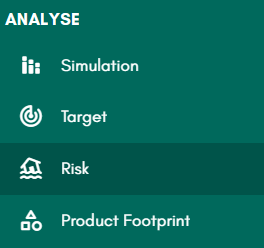
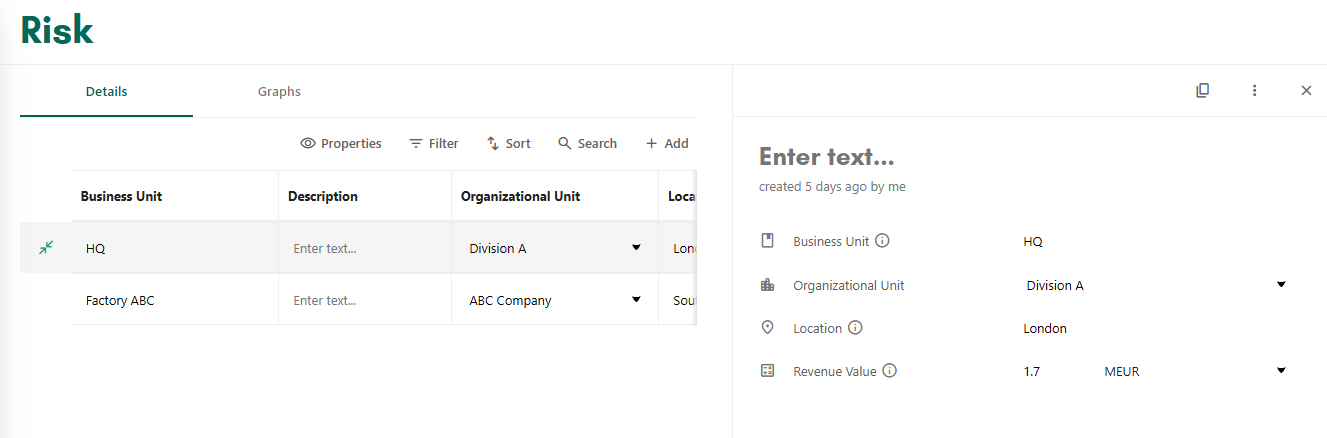
Our new Risk feature enables you to calculate climate risks for different business units, both physical and transition risks. The calculation uses data from your inventory together with your input of a location and revenue value. Each company account can use up to two business units in the Risk feature at no additional cost. Additional business units are available as a paid option and can be enabled for the company account in Consultancy Settings.
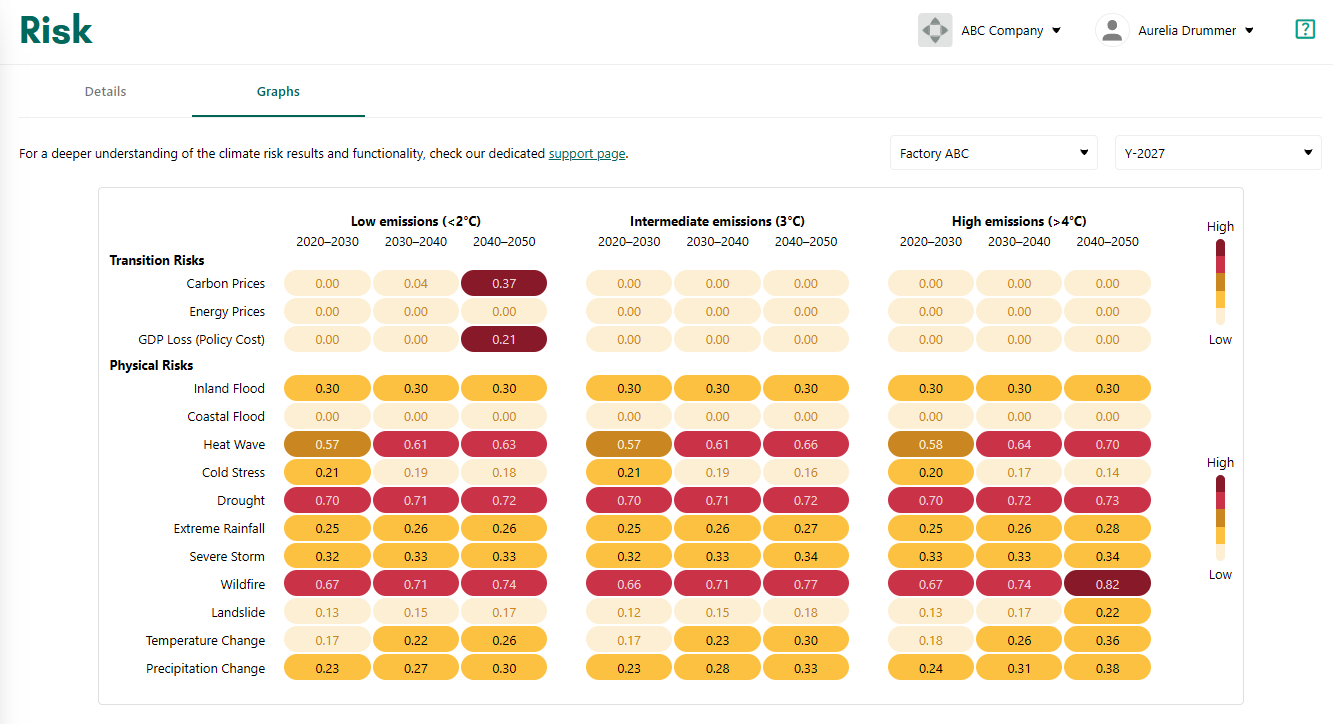
Once a business unit is set up, you can view an overview of its risk factors in the Graphs tab. If no data appears in the Graphs tab, it may be because data is not available for the selected location.
The graphs show risk information for different climate scenarios, time periods and risk factors, including transition risks such as carbon and energy prices, and physical risks such as flooding and fires.
AI Import update
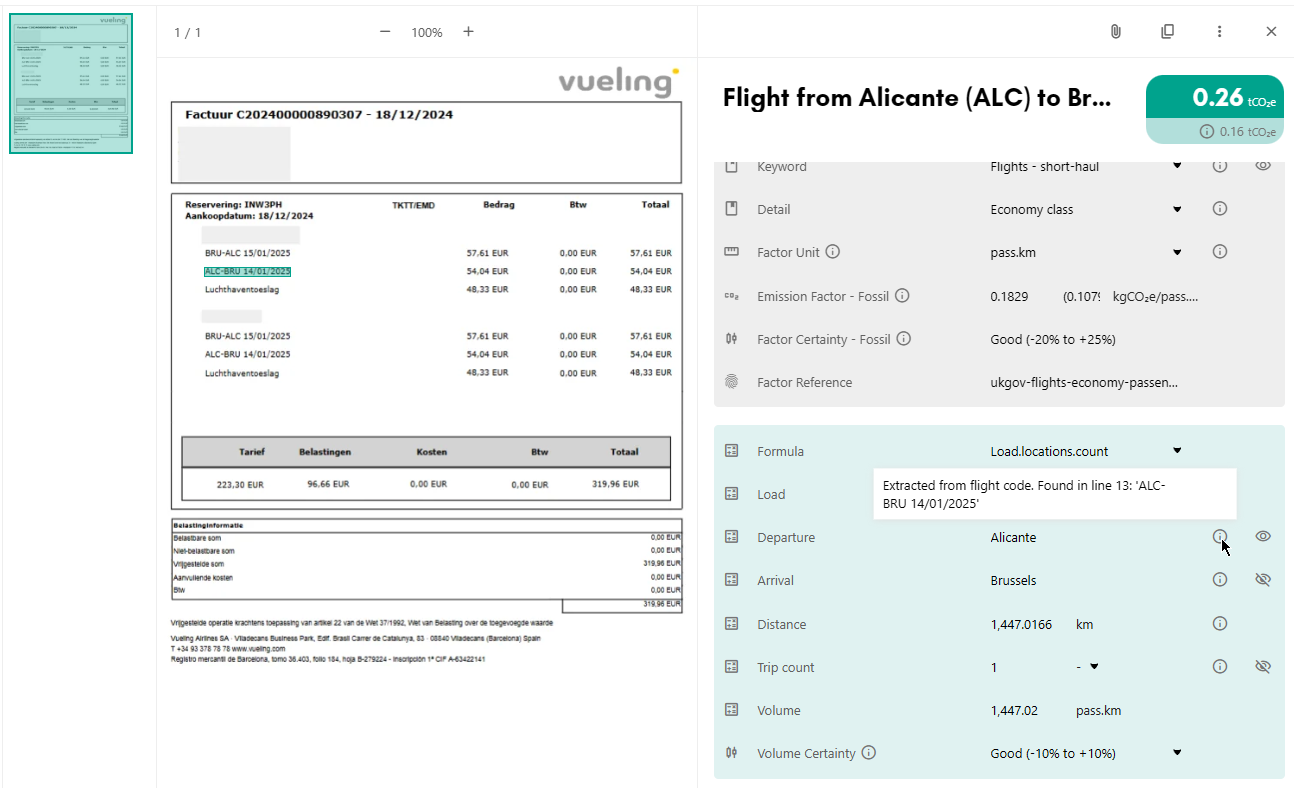
The PDF and image AI import has been updated to give more visibility into how imported data is interpreted. You can now review the original document alongside the imported details.
In this view, you can:
- Highlight the areas in the document where the system has identified values and details, by clicking the eye icon next to each field.
- See the reasoning used to assign a value, by hovering over the info icon next to the field.
To open the detail pane and view the original document click on a line in the table in step 2 of the import.
Minor updates & fixes
- Fixed user permissions for downloading Pivot charts
- Added multi-select Factor Category filter in Factor library
- Fixed Factor Unit filer in Inventory
- Resolved wrapping issues with long Activity Category names
API Updates
What's new
- GET /risks/v1/risk-units Get Risk Units
- POST /risks/v1/risk-units Post Risk Unit
- POST /risks/v1/risk-units/{risk_unit_id}/duplicate Post Risk Unit Duplicate
- GET /risks/v1/risk-results Get Risk Results
- GET /risks/v1/risk-units/stats Get Risk Units Stats
- PUT /risks/v1/risk-units/{risk_unit_id} Put Risk Unit
- GET /snapshots/v1/{snapshot_id}/activity-categories Get Activity Categories
- GET /snapshots/v1/{snapshot_id}/activity-groups Get Activity Groups
- GET /snapshots/v1/{snapshot_id}/business-metrics Get Business Metrics
- GET /snapshots/v1/{snapshot_id}/business-metric-values Get Business Metric Values
- GET /snapshots/v1/{snapshot_id}/fields Get Fields
- GET /snapshots/v1/{snapshot_id}/options Get Options
- GET /snapshots/v1/{snapshot_id}/organizational-units Get Organizational Units
- GET /snapshots/v1/{snapshot_id}/reporting-periods Get Reporting Periods
- GET /snapshots/v1/snapshots Get Snapshots
- GET /snapshots/v1/{snapshot_id}/units Get Units
- POST /snapshots/v1/{snapshot_id}/dashboard-query Post Snapshot Dashboard Query
- POST /snapshots/v1/{snapshot_id}/dashboard-uncertainties Post Snapshot Dashboard Uncertainties
What's deprecated
- POST /measurements/v1/measurement-imports
- Deprecation: 2026-05-20 - Sunset: 2026-08-20
- Replaced by: POST /measurements/v1/imports
- GET /measurements/v1/measurement-imports/{measurement_import_id}
- Deprecation: 2026-05-20 - Sunset: 2026-08-20
- Replaced by: GET /measurements/v1/imports/{import_id}
- PATCH /measurements/v1/measurement-imports/{measurement_import_id}/status
- Deprecation: 2026-05-20 - Sunset: 2026-08-20
- Replaced by: PATCH /measurements/v1/imports/{import_id}
What's changed
- New property in Report object
- snapshotId