
Release notes June 2026
Select all in Inventory; BEGES-R Report Template; MCP Server; import data to multiple categories at once; external uptime monitoring and status page; OpenCEDA update; update of Finnish Energy District Heating dataset added; spend-based emission factors for GOV.UK added
Select all lines in your inventory
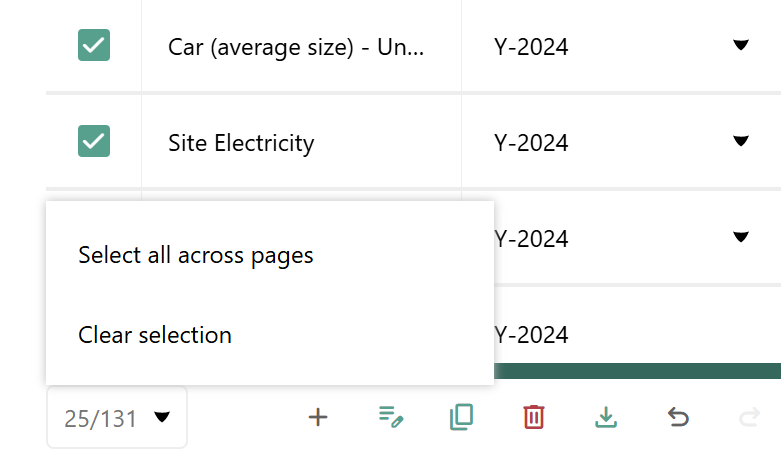
You can now select all lines across your full inventory (and Requests), making it easier to perform bulk actions on large datasets. Note that for performance reasons we have still set the following limits for large operations:
- You can at most delete 4000 lines at a time
- You can at most download 100 lines at a time
Previously, selections were limited to the current page. Now, a new button/input element with a dropdown lets you select the whole table — applying to all data matching your current filters — or just the current page, with the option to clear the selection at any time. The selected count is shown inline in the control.
This functionality is available in all tables that support multi-select, currently Inventory and Requests. Supported bulk actions include Download and Delete.
BEGES-R report template
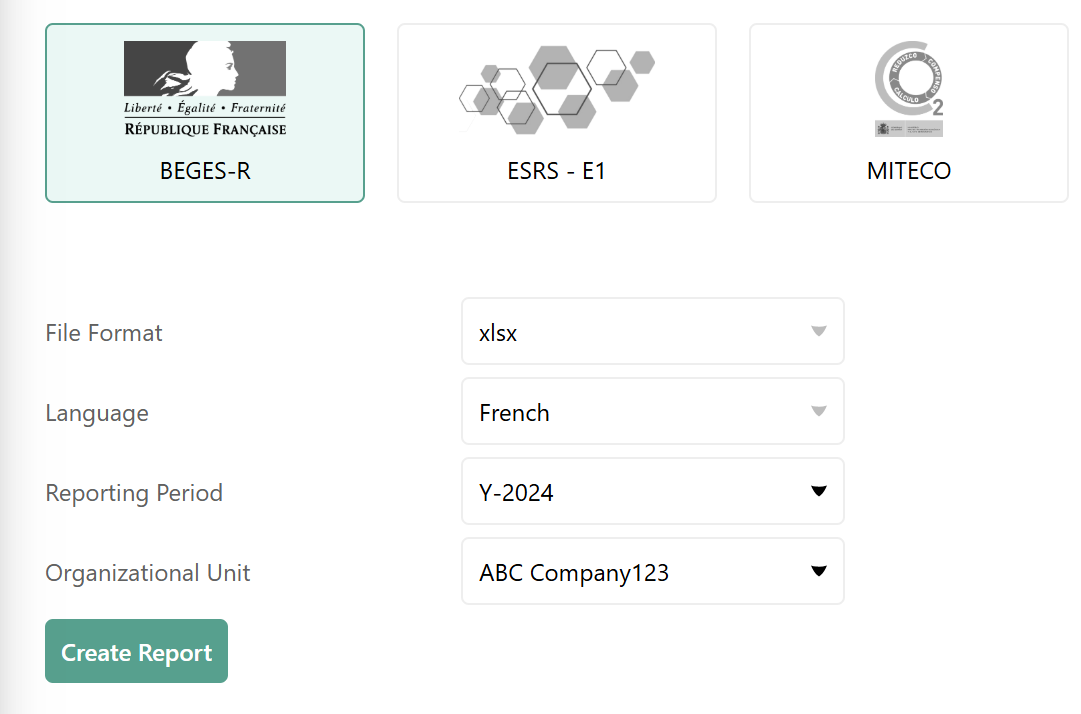
We now support BEGES-R reporting, enabling compliance with France's mandatory greenhouse-gas emissions reporting obligation under article L.229-25 of the French Environmental Code.
You can find the BEGES-R report under the Reports section.
The Carbon+Alt+Delete Companion
The Carbon+Alt+Delete MCP (Model Context Protocol) connector lets you interact with your Carbon+Alt+Delete data directly from your preferred LLM Client. Once connected, you can ask questions, explore your inventory, and work with your emissions data using natural language — without leaving ChatGPT, Claude, Microsoft Co-Pilot, or whatever else you prefer.
You will find detailed instructions on how to connect the Carbon+Alt+Delete MCP Server on this page.
Import data across multiple activity categories at the same time
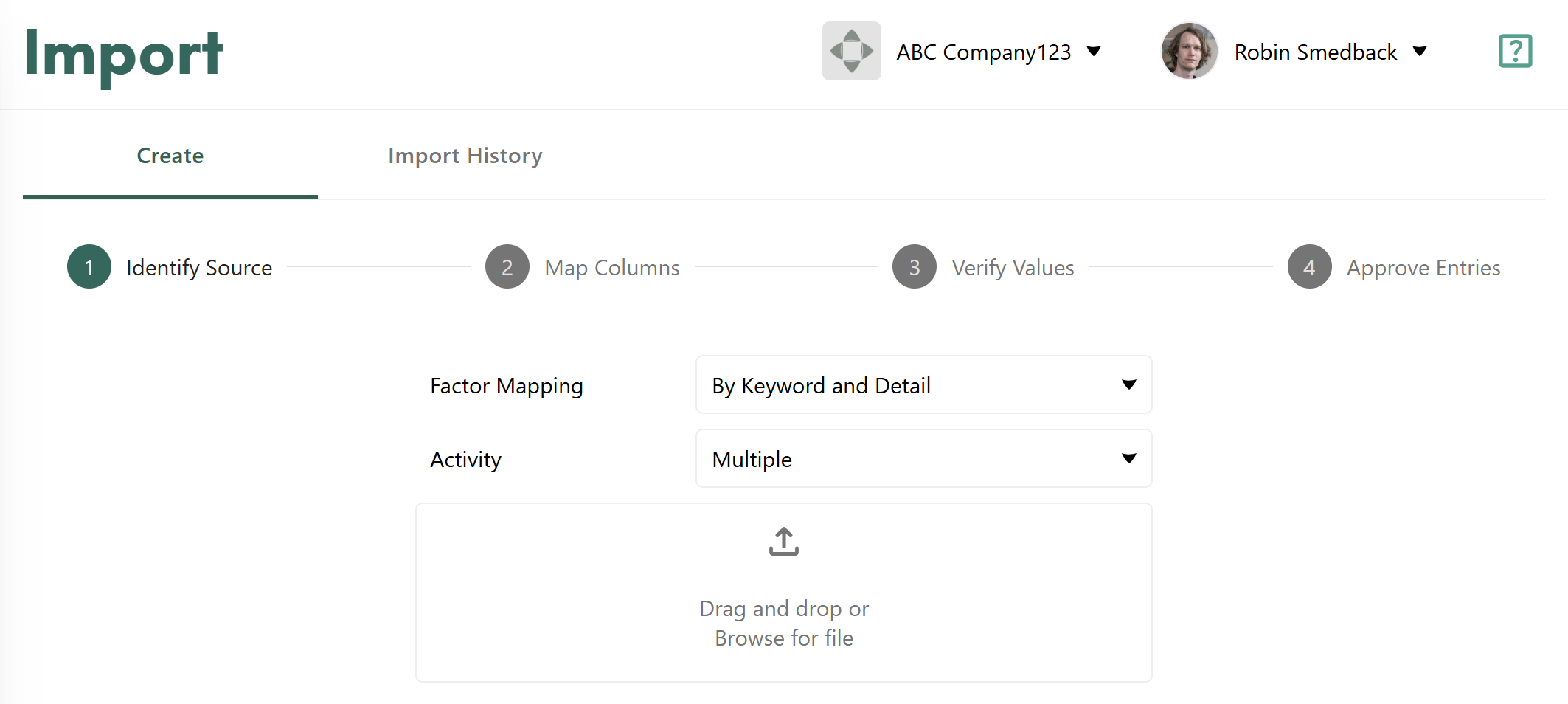
It is now possible to import data spanning multiple activity categories in a single import. Previously, each import was scoped to one activity category at a time. This change makes it significantly faster to load large or complex datasets and reduces the manual overhead of splitting files before import.
When importing, simply choose Activity “Multiple” to import to several different categories at the same time.
Uptime monitoring and public status page
We have implemented external uptime monitoring and launched a public status page to complement our existing internal monitoring infrastructure. You have probably already seen an example of our status page through the maintenance messaging.
Previously, issues such as network partitions, DNS failures, CDN outages, and actual user-facing availability could go undetected from a user perspective. The new setup provides multi-location health checks, automated SLA/SLO tracking, and proactive alerting. Customers can now check service status themselves, reducing support load during incidents.
OpenCEDA update
We have updated our integration with OpenCEDA, bringing in the latest emission factor data for 2025.
We have also set OpenCEDA as the default spend-based dataset for new company accounts you create (replacing Exiobase as the default database). Reason for this is that OpenCEDA underlying data is more recent.
Updated Finnish translations of reports
We have revised the Finnish translations of the GHGP, ISO, and Internal reports. This was done in collaboration with our partner, Greenstep.
Added Finnish Energy District Heating dataset
With the help of our partner, Sitowise, we have added the dataset Finnish Energy District Heating to our Factor Library.

Spend-based emission factors for GOV.UK
We have added the spend-based emission factors from GOV.UK provided by the University of Leeds. Those will show up in the platform under the name GOV.UK Spend Factors and use the University of Leeds logo, to make it clear that this is a separate database from the GOV.UK GHG reporting factors.

Minor updates & fixes
Fixes
- Changing chart type in saved Pivots no longer needs a refresh to show correct data
- Logos and company names now load in correct order on login/logout
- Keyword matching fixes for the AI mapping during imports
- Fixed a case where “over 4000 line limit” warning would not appear during imports of large files
API Updates
What's New
- POST /measurements/v2/inventory-lines/update-status - Post Update Inventory Lines Status
- POST /requests/v1/request-items/update-status - Post Update Request Items Status
- GET /selections/v1/selections/{selection_type} - Get Selection
- PUT /selections/v1/selections/{selection_type} - Put Selection
- DELETE /selections/v1/selections/{selection_type} - Delete Selection
- POST /selections/v1/selections/{selection_type}/items - Post Selection Items
- DELETE /selections/v1/selections/{selection_type}/items - Delete Selection Items
- POST /selections/v1/selections/{selection_type}/check - Post Selection Check
What's Deleted
- GET /results/v1/business-metric - Deprecation: 2026-01-20 - Sunset: 2026-04-20
- GET /results/v1/dashboard-data - Deprecation: 2025-12-16 - Sunset: 2026-03-16
- GET /results/v1/inventory-pivot - Deprecation: 2025-12-16 - Sunset: 2026-03-16
- GET /results/v1/dashboard-uncertainties - Deprecation: 2026-01-20 - Sunset: 2026-04-20
- GET /results/v2/dashboard-data - Deprecation: 2025-12-16 - Sunset: 2026-03-16
What's Deprecated
None
What's Changed
- GET /emission-factors/v1/emission-factors/dropdown-values
- POST /measurements/v1/imports/map-columns
- Request
- Changed body:
application/json - Changed property type:
inputColumns(['array']→['array'])
- Changed body:
- Request
- GET /reports/v1/reports/{report_id}/presigned-url
- POST /requests/v1/request-items/autogenerate
- POST /reports/v1/reports
- Request
- Changed body:
application/json - Changed property type:
reportType(['string']→['string'])- Enum values changed: added
BEGES
- Enum values changed: added
- Changed body:
- Request
- POST /value-mappings/v1/value-mappings
- Request
- Schema incompatible
- Changed body:
application/json - Missing property:
activityCategoryType(object) - Changed property type:
field(['string']→['string'])- Enum values changed: added
activityCategoryKeywordAttributeUnit, removedkeywordAttributeUnit
- Enum values changed: added
- Response
- Changed response: [200] — Successful Response
- Schema incompatible
- Changed body:
application/json - Missing property:
activityCategoryType(object) - Changed property type:
field(['string']→['string'])- Enum values changed: added
activityCategoryKeywordAttributeUnit, removedkeywordAttributeUnit
- Enum values changed: added
- Request
- POST /value-mappings/v1/value-mappings/{value_mapping_id}/ai-suggest
- Response
- Changed response: [200] — Successful Response
- Schema incompatible
- Changed body:
application/json - Missing property:
activityCategoryType(object) - Changed property type:
field(['string']→['string'])- Enum values changed: added
activityCategoryKeywordAttributeUnit, removedkeywordAttributeUnit
- Enum values changed: added
- Response
- PUT /value-mappings/v1/value-mappings/{value_mapping_id}
- Request
- Schema incompatible
- Changed body:
application/json - Missing property:
activityCategoryType(object) - Changed property type:
field(['string']→['string'])- Enum values changed: added
activityCategoryKeywordAttributeUnit, removedkeywordAttributeUnit
- Enum values changed: added
- Response
- Changed response: [200] — Successful Response
- Schema incompatible
- Changed body:
application/json - Missing property:
activityCategoryType(object) - Changed property type:
field(['string']→['string'])- Enum values changed: added
activityCategoryKeywordAttributeUnit, removedkeywordAttributeUnit
- Enum values changed: added
- Request